
If you want SEO design page on opencart. You need enable design page:
Enable SEO #
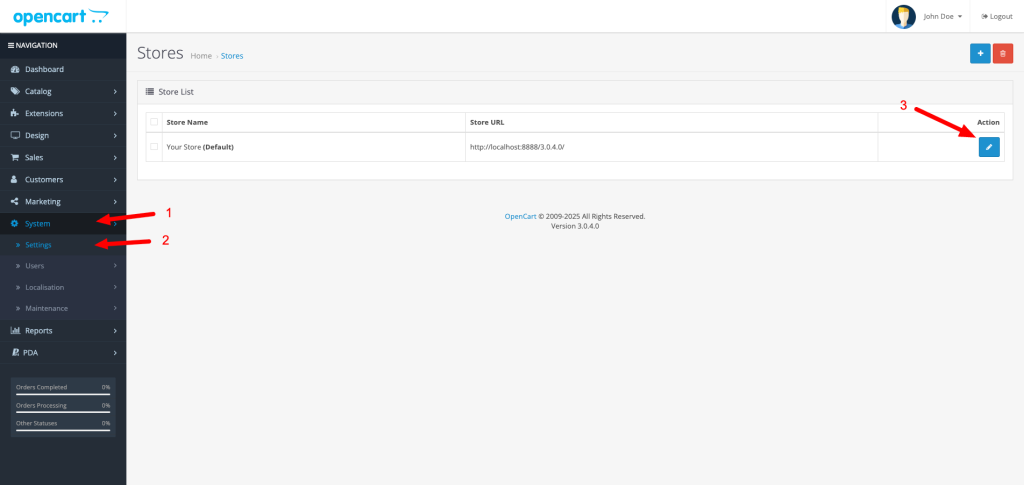
If you want enable SEO. You need go to System (1) -> Settings (2) -> Click edit your store (3)
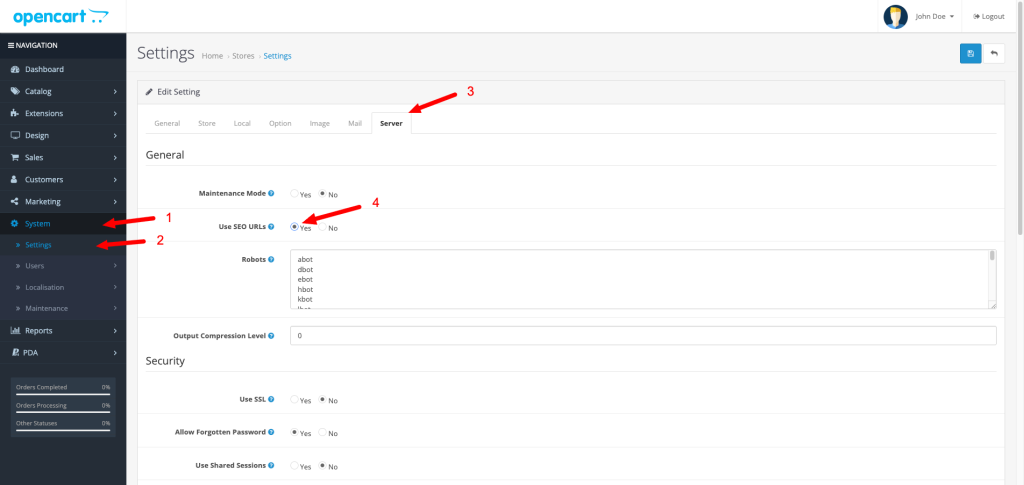
Edit design: Click Server (3) -> Select Use SEO URLs (4) -> Save
After enable seo. You need rename file: root/.htaccess.txt to root/.htaccess. If your opencart folder not in root. You can open file .htaccess -> find and change “RewriteBase /” to “RewriteBase /your_folder_name/” -> save
Opencart 3.x.x.x #
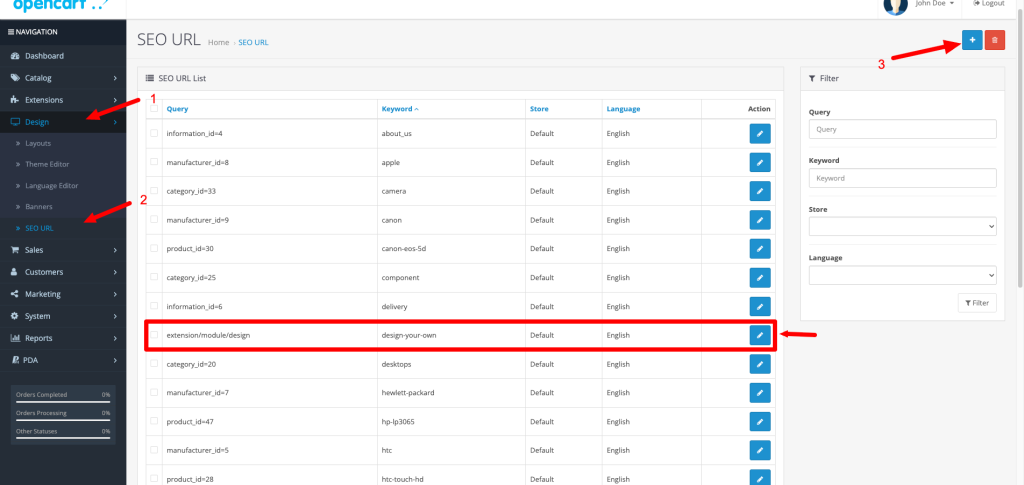
If your site enabled SEO and you want SEO page design. You need go to: Design (1) -> SEO URL (2) -> Add SEO value (3)
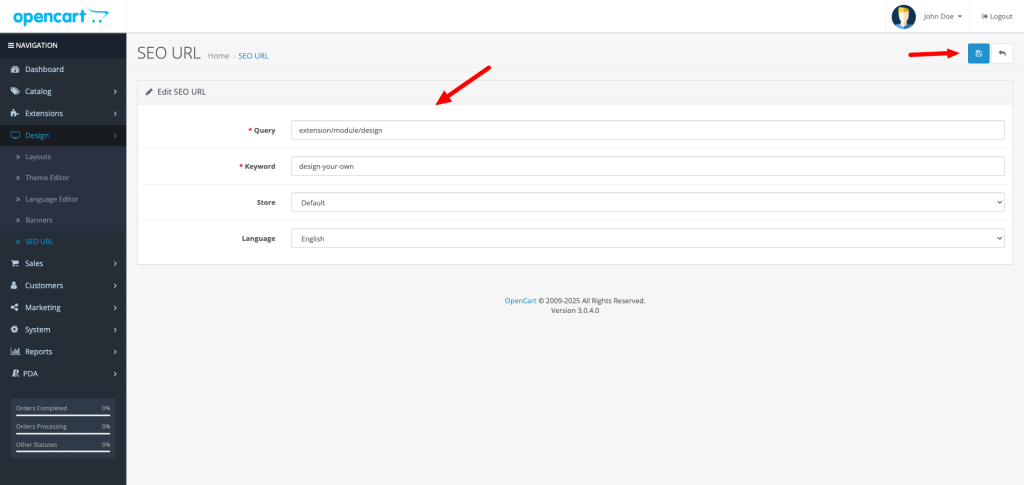
Add query value is “extension/module/design”. Keywork is slug url like what you want SEO like “design-your-own” -> Save
Opencart 4.x.x.x #
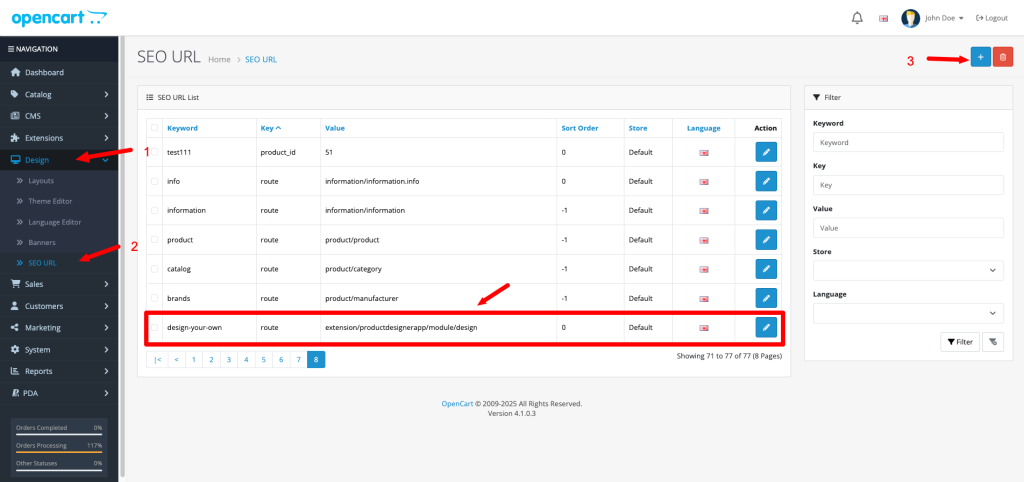
If your site enabled SEO and you want SEO page design. You need go to: Design (1) -> SEO URL (2) -> Add SEO value (3)
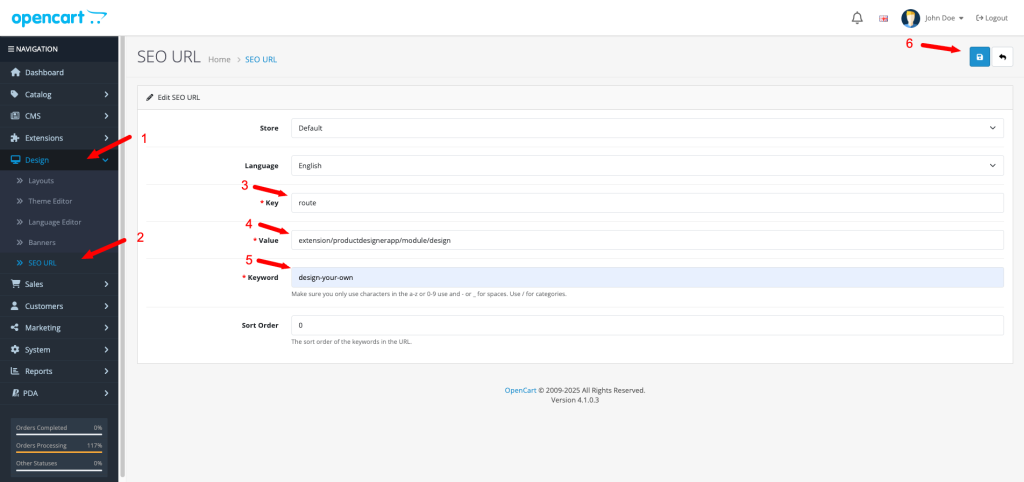
Add key is “route” (3) and query value is “extension/productdesignerapp/module/design” (4). Keywork is slug url like what you want SEO like “design-your-own” (5) -> Save (6)
After saved query value. You can open page design by URL like: domain.com/design-your-own


