
To start using our services (resource import, support, updates…) You need to get a paid version purchase code for verification. You can skip this step if you are using free version.
Verify purchased code #
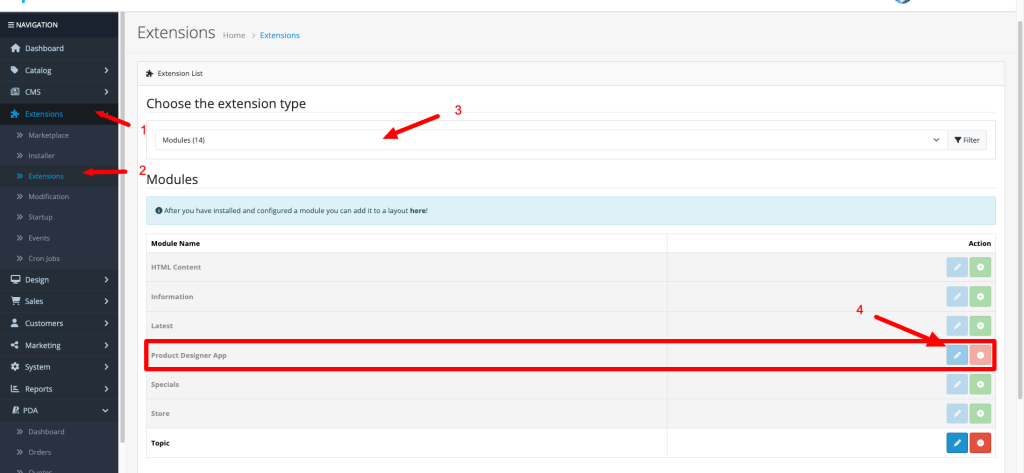
After installed module. Please go to Extensions (1) -> Extensions (2) -> Modules (3) -> Click edit module (4)
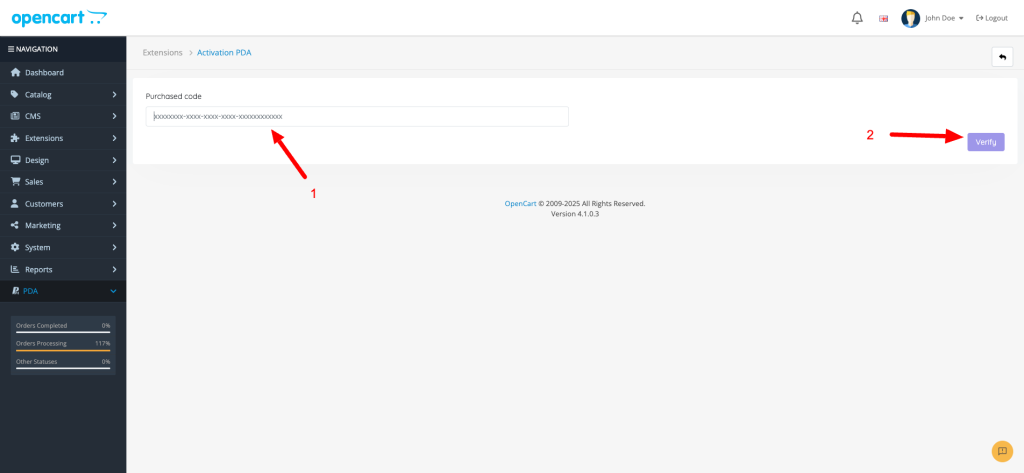
Continue: You need add your purchased code (1) -> Click Verify (3)
Where is my purchased code? #
After purchased PDA module. You can go to My account -> Module/plugin -> Get Purchased code
Also, You can get purchased code from email detail after buy paid version
Completed #
After verified. Congratulations! You can get full features of Product Designer App module and starting your jobs.


