
Check demo here
How to install? #
You need buy and install PDA module with paid version from here. for opencart -> Go to PDA menu (1) -> Addons (2) -> Store addons (3) and Verify purchased code.

Click Add cart button to add your addon to cart.

Click Checkout button to payment your addon.

Deposit enough money into your PDA wallet and start paying (Like addon unlock proportions in this image)

Start payment

Payment success

Back to addon list, reload page -> click import to download your addon

Click install to activation your addon

Settings #
To setting. You need click button setting

You can add/edit text value (1). Enable for all product (2) -> Setup sell price (3) -> Save (4)
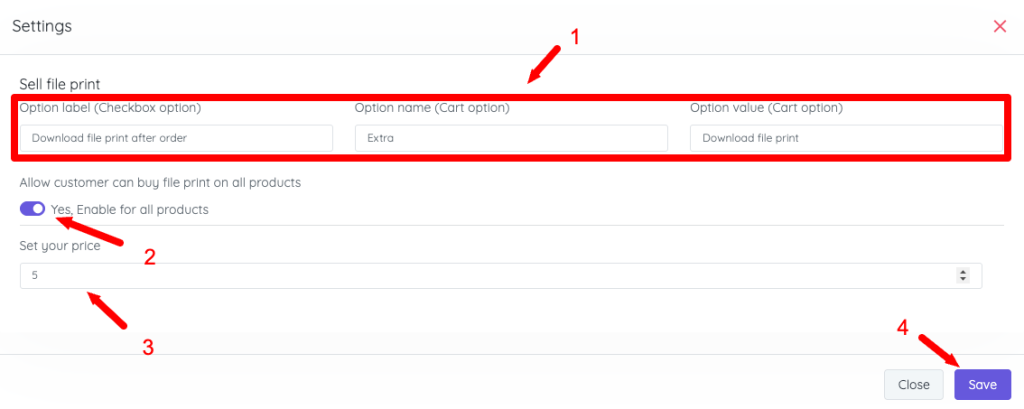
*) If you want setup for each product (Not for all). You need disabled options enable for all products (1)
And edit your product -> advanced -> Addons -> Enable sell print file and set price

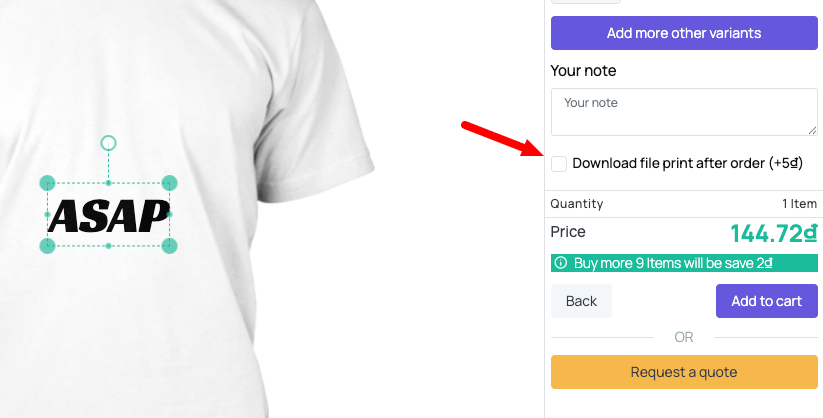
*) Option show on design studio
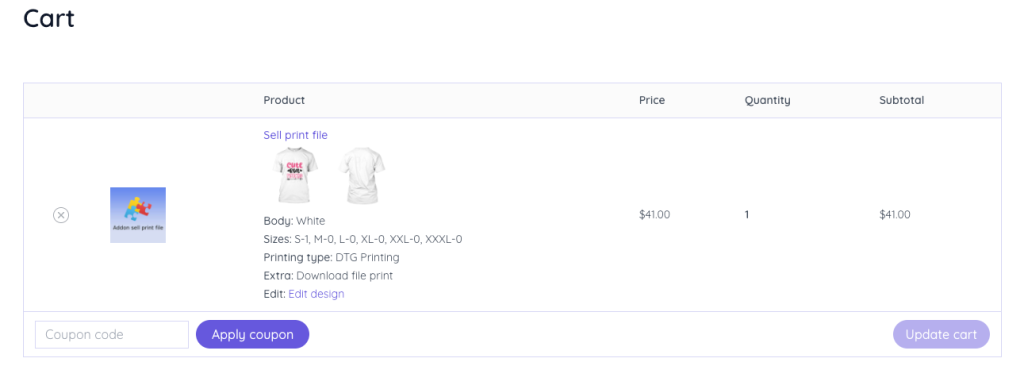
*) Option show in cart (extra option)
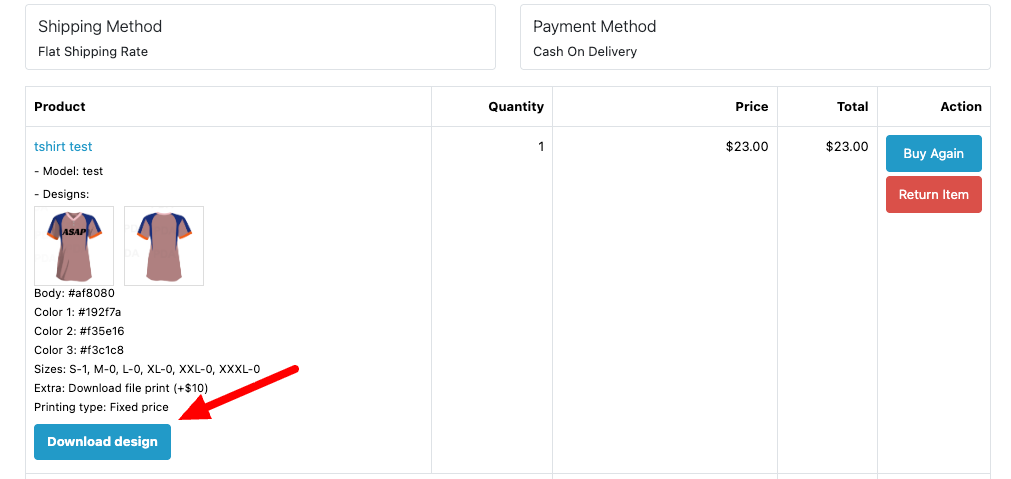
*) Download button show in order detail
How to delete? #
If you don’t want use this addon. You can uninstall or click button delete (Only show when your addon is uninstalled) to delete all files.


